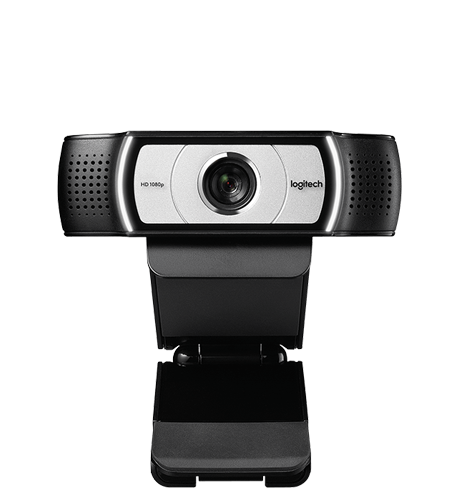
Logitech’s C930e camera is the first one to be compliant with UVC 1.5 specification:
First 1080p HD webcam to support H.264 with Scalable Video Coding and UVC 1.5 encoding technology. […] The result is a smoother video stream in applications like Skype for Business and Microsoft® Lync® 2013.
More marketing information there at Logitech. More interesting is what the new capabilities look from API side programmatically. Additionally to well known Motion JPEG (FourCC MJPG) and YUY2 video, the camera delivers H.264 (FourCC H264) video.
Lync (Skype for Business) is presumably modified to accept that and it communicates to the camera using Media Foundation API.
The camera’s H.264 capabilities are accessible using both APIs, DirectShow and Media Foundation, and there is apparently a mess with driver versions and operating system versions as well. The best results are achieved with stock driver from Microsoft (without installing Logitech driver, this information is in good standing: “The only way I was able to get that stream under Windows 8.x was by NOT USING LOGITECH DRIVERS. This is a UVC 1.5 compatible camera and it will be configured automatically by the OS. With that driver (from Microsoft), use pin 1 (not 0) and you will get a ton of H264 formats.”).
A printout of DirectShow capabilities using DirectShowCaptureCapabilities is available here (note KS_H264VIDEOINFO structure). This time it is about what it looks when one’s doing Media Foundation.
As a Media Source, exposed are a few attributes and a great deal of media types (216 + 476), greater amount compared to DirectShow as it seems:
MF_DEVSOURCE_ATTRIBUTE_MEDIA_TYPE: 76 69 64 73 00 00 10 00 80 00 00 AA 00 38 9B 71 59 55 59 32 00 00 10 00 80 00 00 AA 00 38 9B 71MF_DEVSOURCE_ATTRIBUTE_SOURCE_TYPE_VIDCAP_SYMBOLIC_LINK: \\?\usb#vid_046d&pid_0843&mi_00#6&2314864d&0&0000#{e5323777-f976-4f5b-9b55-b94699c46e44}\global (Type `VT_LPWSTR`)MF_DEVSOURCE_ATTRIBUTE_FRIENDLY_NAME: Logitech Webcam C930e (Type `VT_LPWSTR`)MF_DEVSOURCE_ATTRIBUTE_SOURCE_TYPE_VIDCAP_CATEGORY:KSCATEGORY_VIDEO_CAMERAMF_DEVSOURCE_ATTRIBUTE_SOURCE_TYPE:MF_DEVSOURCE_ATTRIBUTE_SOURCE_TYPE_VIDCAP_GUIDMF_DEVSOURCE_ATTRIBUTE_SOURCE_TYPE_VIDCAP_HW_SOURCE: 4 (Type `VT_UI4`)- Characteristics:
MFMEDIASOURCE_IS_LIVE | MFMEDIASOURCE_CAN_PAUSE - Stream 0: Default Selected, Identifier 0x0, Major Type
MFMediaType_Video, 216 Media Types - Stream 1: Identifier 0x1, Major Type
MFMediaType_Video, 476 Media Types
The H.264 formats are marked with subtypes of MFVideoFormat_H264 and MFVideoFormat_H264_ES. A raw print out is downloadable:
- Media Foundation Video Media Types for Logitech C930e (Windows 10 Pro).tsv
- Media Foundation Video Media Types for Logitech C930e (Windows 10 Pro).xlsx (Excel Workbook)
Specifically, it is interesting what are the attributes there since with Media Foundation it is tricky thing to find out quickly. The keys/identifiers are listed below.
Common
MF_MT_ALL_SAMPLES_INDEPENDENTMF_MT_AM_FORMAT_TYPEMF_MT_AVG_BITRATEMF_MT_FIXED_SIZE_SAMPLESMF_MT_FRAME_RATEMF_MT_FRAME_RATE_RANGE_MAXMF_MT_FRAME_RATE_RANGE_MINMF_MT_FRAME_SIZEMF_MT_INTERLACE_MODEMF_MT_MAJOR_TYPEMF_MT_PIXEL_ASPECT_RATIOMF_MT_SUBTYPE
MFVideoFormat_H264, MFVideoFormat_H264_ES
MF_MT_COMPRESSEDMF_MT_H264_CAPABILITIESMF_MT_H264_MAX_CODEC_CONFIG_DELAYMF_MT_H264_MAX_MB_PER_SECMF_MT_H264_RESOLUTION_SCALINGMF_MT_H264_SIMULCAST_SUPPORTMF_MT_H264_SUPPORTED_RATE_CONTROL_MODESMF_MT_H264_SUPPORTED_SLICE_MODESMF_MT_H264_SUPPORTED_SYNC_FRAME_TYPESMF_MT_H264_SUPPORTED_USAGESMF_MT_H264_SVC_CAPABILITIESMF_MT_VIDEO_LEVELMF_MT_VIDEO_PROFILE
MFVideoFormat_MJPG
MF_MT_SAMPLE_SIZEMF_MT_VIDEO_CHROMA_SITINGMF_MT_VIDEO_LIGHTINGMF_MT_VIDEO_NOMINAL_RANGEMF_MT_VIDEO_PRIMARIESMF_MT_YUV_MATRIX
MFVideoFormat_YUY2
MF_MT_DEFAULT_STRIDEMF_MT_SAMPLE_SIZEMF_MT_VIDEO_CHROMA_SITINGMF_MT_VIDEO_LIGHTINGMF_MT_VIDEO_NOMINAL_RANGEMF_MT_VIDEO_PRIMARIESMF_MT_YUV_MATRIX